Discord support
Questions, bugs or feedback? Ask on the Dungeon Architect Discord server, where the developer and other users can help.
Join the server
Section titled “Join the server”The invite link is inside the plugin, so install Dungeon Architect first (see Installation).
-
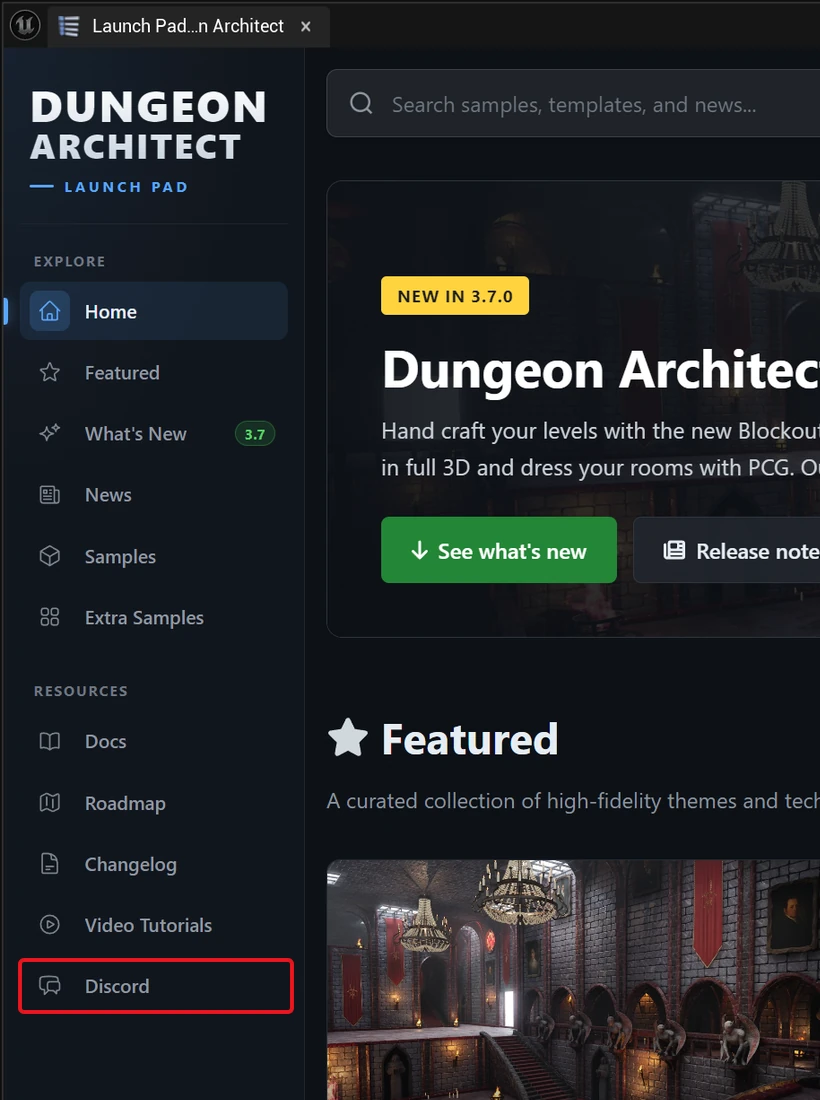
Click the Dungeon Architect button on the level editor’s main toolbar to open the Launch Pad.

-
Click Discord in the Launch Pad’s left bar.
Get a faster answer
Section titled “Get a faster answer”Include these when you ask:
- Your Unreal Engine and Dungeon Architect versions
- The builder you use (Cell Flow, Snap Grid Flow, Grid Flow…)
- A screenshot of the problem, and any errors from the output log